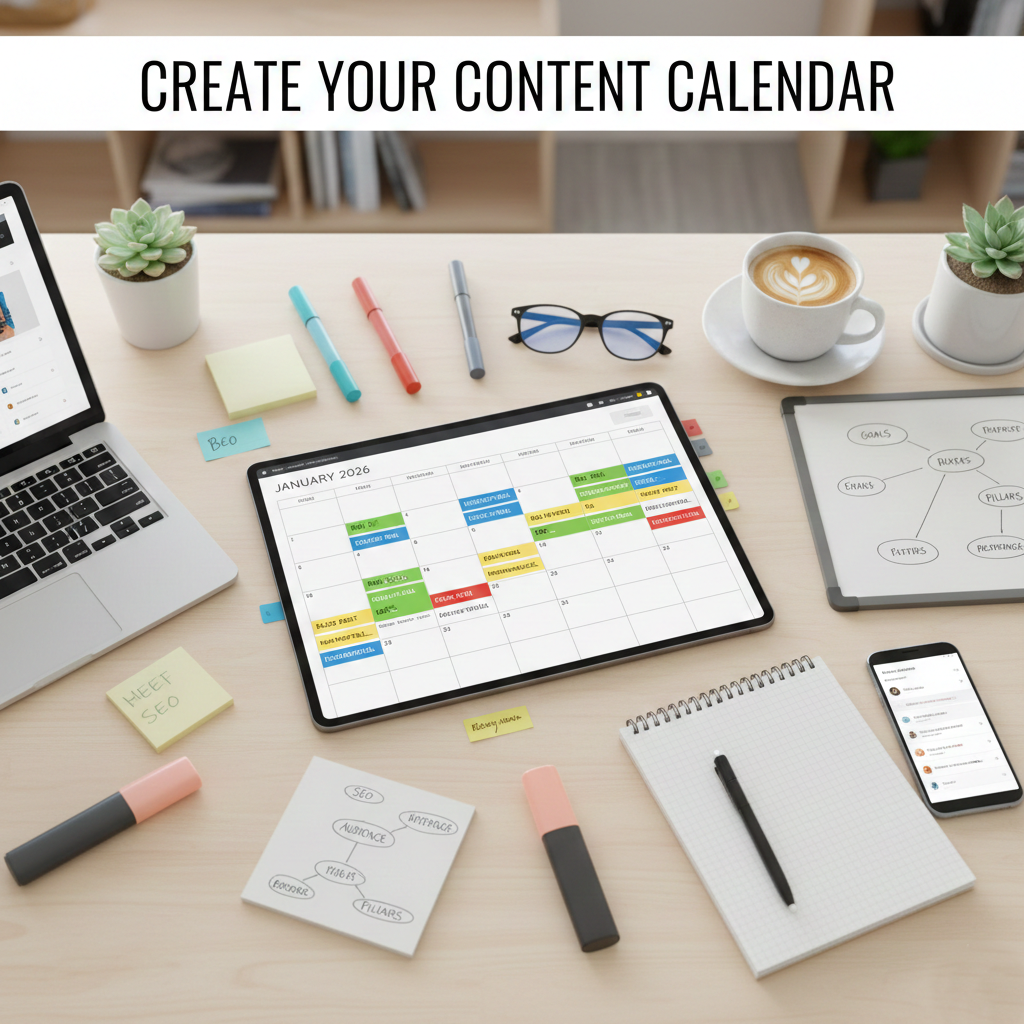
A content calendar for small business marketing helps companies plan blog posts, social media updates, and marketing campaigns in advance. Instead of posting content randomly, small businesses can use a content calendar to organize their marketing strategy and maintain consistent online visibility.
In this guide, you will learn how to create a content calendar for small business marketing, choose the best tools, and develop a structured content strategy that supports long-term business growth.
If you’re posting content sporadically, scrambling for ideas at the last minute, or feeling overwhelmed by social media demands, you’re not alone. The solution isn’t working harder—it’s working smarter with a content calendar for small business marketing.
A well-structured content calendar transforms chaotic content creation into a streamlined, strategic process. It’s the difference between reactive, last-minute posts and a cohesive marketing strategy that builds brand awareness, engages your audience, and drives real business results.
In this comprehensive guide, you’ll discover exactly how to create, implement, and maintain a content calendar that works for your small business—without requiring a marketing degree or a massive budget.
What Is a Content Calendar for Small Business Marketing?
A content calendar for a small business is a strategic planning tool that maps out what content you’ll publish, when you’ll publish it, and where it will appear. Think of it as your marketing roadmap—a visual representation of your entire content strategy organized by date, platform, and campaign.
Unlike large corporations with dedicated marketing teams, small businesses need systems that are simple yet effective. Your content calendar should be sophisticated enough to drive results but straightforward enough that you (or a small team) can manage it without feeling overwhelmed.
Key components of an effective content calendar include:
- Publishing dates and times – When each piece of content goes live
- Content types – Blog posts, social media updates, videos, newsletters
- Publishing platforms – Facebook, Instagram, LinkedIn, your website, email
- Content themes – Topics aligned with your business goals and audience interests
- Campaign connections – How individual posts support larger marketing initiatives
- Responsible parties – Who creates, approves, and publishes each piece
- Status tracking – Draft, in review, scheduled, or published
- Performance notes – Space to record what works and what doesn’t
The beauty of a content calendar for a small business lies in its flexibility. Whether you’re a solopreneur or managing a small team, you can scale your calendar to match your resources and ambitions.
Why a Content Calendar for Small Business Is Important
Before diving into the how-to, let’s understand why investing time in a content calendar for small business marketing pays dividends.
1. Consistency Builds Brand Recognition
Your audience needs to see you regularly to remember you. According to marketing research, consumers need multiple exposures to a brand before taking action. A content calendar ensures you maintain consistent visibility across platforms, keeping your business top-of-mind when customers are ready to buy.
When you have a comprehensive digital marketing strategy supported by a content calendar, you’re not just posting randomly—you’re building a recognizable brand presence that compounds over time.
2. Strategic Planning Replaces Last-Minute Panic
Without a content calendar, every Monday morning becomes a scramble to figure out what to post. This reactive approach leads to generic content that doesn’t resonate with your audience or support your business goals.
A content calendar for a small business transforms content creation from reactive to proactive. You can plan around product launches, seasonal trends, industry events, and customer needs—creating content that actually moves the needle for your business.
3. Efficiency Saves Time and Money
Time is your most valuable resource as a small business owner. The minutes spent scrambling for content ideas, switching between platforms, and posting sporadically add up to hours of wasted productivity each week.
With a content calendar, you can batch-create content during dedicated sessions, schedule posts in advance, and eliminate the mental load of “what should I post today?” This efficiency frees up time for revenue-generating activities while maintaining a strong marketing presence.
4. Quality Improves When You Plan Ahead
Last-minute content is rarely your best work. When you’re rushing to post something—anything—you compromise on quality, miss typos, and overlook opportunities to connect with your audience authentically.
A content calendar gives you breathing room to create thoughtful, well-crafted content. You can incorporate SEO best practices, ensure visual consistency, align messaging across platforms, and refine your copy before it goes live.
5. Data-Driven Decisions Replace Guesswork
With a content calendar, you can track performance patterns over time. Which types of content generate the most engagement? What posting times work best? Which topics resonate with your audience?
This data empowers you to refine your strategy continuously, doubling down on what works and eliminating what doesn’t. Your social media marketing becomes increasingly effective as you learn what your audience truly values.
6. Team Coordination Becomes Seamless
Even a small team needs coordination. Who’s creating the blog post? Who’s designing the graphics? When does the content need approval? Without a centralized system, things fall through the cracks.
A content calendar for a small business serves as a single source of truth, ensuring everyone knows their responsibilities, deadlines, and how their work fits into the bigger picture.
7. Opportunities for Collaboration and Cross-Promotion
When you can see your entire content strategy at a glance, opportunities for synergy become obvious. That blog post could be repurposed into social media content. The customer testimonial could support multiple campaigns. The seasonal promotion could tie into your email marketing.
This holistic view helps you maximize every piece of content you create, getting more value from less effort.
Benefits of Using a Content Calendar for Small Business Marketing
A content calendar for small business marketing helps companies maintain consistency, improve marketing efficiency, and plan campaigns strategically. By scheduling blog posts, social media content, and email marketing in advance, small businesses can focus on delivering valuable content instead of scrambling for last-minute ideas.
Understanding Your Content Strategy Before Building Your Calendar
A content calendar is only as effective as the strategy behind it. Before you start filling in dates and post ideas, you need clarity on the fundamentals that will guide your content decisions.
Define Your Marketing Goals
What are you trying to achieve with your content marketing? Your goals should be specific, measurable, and tied to business outcomes.
Common small business content goals include:
- Increase brand awareness in your local market
- Generate qualified leads for your services
- Drive traffic to your website or physical location
- Establish thought leadership in your industry
- Support customer retention and loyalty
- Launch new products or services
- Improve search engine rankings
Your content calendar for a small business should directly support these goals. Every post, article, or video should serve a strategic purpose, not just fill space on your calendar.
If your goal is to improve your local SEO presence, for example, your content calendar should include location-specific content, customer reviews, local event coverage, and community engagement.
Identify Your Target Audience
Who are you creating content for? The more specific you can be about your ideal customer, the more effective your content will be.
Consider these audience characteristics:
- Demographics – Age, location, income level, occupation
- Psychographics – Values, interests, lifestyle preferences
- Pain points – Problems your business solves
- Goals and aspirations – What they’re trying to achieve
- Content preferences – How they consume information
- Buying journey stage – Awareness, consideration, or decision
A restaurant owner targeting busy professionals will create different content than one targeting families with young children. A B2B consultant needs a different approach than a retail boutique.
Your content calendar should reflect where your audience spends time online, what questions they’re asking, and what type of content they find valuable.
Establish Your Content Pillars
Content pillars are the 3-5 main themes that your content consistently addresses. They provide structure to your content calendar for a small business while ensuring variety and strategic alignment.
Example content pillars for different businesses:
For a fitness studio:
- Workout tips and techniques
- Nutrition and healthy living
- Success stories and transformations
- Class schedules and special events
- Wellness motivation and mindset
For a web design agency:
- Website best practices
- Digital marketing trends
- Client success stories
- Behind the scenes of design projects
- Business growth tips for clients
For a local bakery:
- Product showcases and specials
- Baking tips and recipes
- Community involvement and events
- Customer features and reviews
- Seasonal celebrations
Your content pillars ensure you’re creating balanced, diverse content that serves multiple purposes while maintaining brand consistency. If you’re offering comprehensive web development services, your pillars might include technical education, design inspiration, client results, and industry trends.
Audit Your Current Content Performance
Before creating a new content calendar, analyze what’s already working (or not working) in your current marketing efforts.
Review your existing content across platforms:
- Which posts generated the most engagement?
- What types of content drove website traffic?
- Which topics resonated most with your audience?
- What posting times and frequencies performed best?
- Which campaigns met or exceeded goals?
- Where are you seeing drop-offs or low performance?
This audit prevents you from repeating unsuccessful approaches while doubling down on proven strategies. If video content consistently outperforms static images, your content calendar should prioritize video. If educational content drives more leads than promotional content, adjust your mix accordingly.
Many small businesses find that working with a digital marketing partner helps them interpret analytics and make data-driven decisions about their content strategy.
How to Create a Content Calendar for a Small Business: Step-by-Step Guide
Now that you understand the strategy behind effective content planning, let’s walk through the practical steps of building your content calendar for a small business.
Step 1: Choose the Right Calendar Tool
Your content calendar tool should match your needs, budget, and technical comfort level. Don’t overcomplicate it—start with something manageable and scale up as needed.
Popular content calendar options for small businesses:
Google Sheets or Excel – Free, familiar, and infinitely customizable. Perfect for solopreneurs or very small teams. Easy to share and collaborate. Requires more manual setup but gives you complete control.
Trello – A visual, card-based system that’s intuitive and free for basic use. Great for managing content workflows with multiple team members. Allows attachments, comments, and status tracking.
Asana – More robust project management with content calendar capabilities. Free for small teams. Excellent for businesses juggling multiple marketing initiatives simultaneously.
Google Calendar – Simple and free. Good for basic scheduling but lacks content-specific features like draft storage or approval workflows.
Notion – A highly customizable database system that can function as a content calendar with added bells and whistles. Free for individuals with unlimited blocks.
Airtable – Spreadsheet-database hybrid with calendar views. Powerful for those who want spreadsheet functionality with better visualization.
CoSchedule or Hootsuite – Dedicated content calendar and social media management tools. Paid options include scheduling, analytics, and team collaboration features.
For most small businesses, starting with Google Sheets or Trello provides enough functionality without overwhelming complexity or cost. You can always migrate to more sophisticated tools as your content operation grows.
Step 2: Structure Your Content Calendar Template
Once you’ve chosen your tool, set up your calendar template with the information you need to plan, create, and track content effectively.
Essential columns/fields for your content calendar:
- Date and Time – When the content publishes
- Content Type – Blog post, social post, video, email, etc.
- Platform – Where it publishes (Facebook, Instagram, website, etc.)
- Content Title/Topic – Brief description of the content
- Content Pillar – Which theme does it supports
- Campaign – Associated marketing campaign (if applicable)
- Status – Idea, draft, in review, scheduled, published
- Owner – Person responsible for creation
- Copy/Caption – The actual content text
- Visual Assets – Images, videos, graphics needed
- Links – URLs to include in the post
- Hashtags/Keywords – SEO and social optimization
- Call-to-Action – What action do you want readers to take
- Performance Notes – Space to record results and learnings
You don’t need every field from day one. Start with the basics (date, content type, platform, topic, status, owner) and add complexity as your process matures.
Color-coding different content types, platforms, or campaigns can provide a quick visual reference, making it easy to see your content mix at a glance.
Step 3: Map Out Important Dates and Events
Before filling in regular content, populate your content calendar for small business with dates that require special attention.
Key dates to include:
- Industry events and holidays – Relevant conferences, awareness days, industry milestones
- National and cultural holidays – Christmas, Valentine’s Day, Independence Day, etc.
- Business milestones – Your anniversary, product launches, grand openings
- Seasonal changes – Weather patterns that affect your business
- Local events – Community festivals, sporting events, local celebrations
- Promotional periods – Planned sales, special offers, limited-time campaigns
- Recurring dates – Weekly features, monthly themes, quarterly reviews
These anchor dates provide structure to your calendar and ensure you don’t miss time-sensitive opportunities. A retail business preparing for the holiday shopping season needs content planned weeks. A tax accountant needs to ramp up content before April deadlines.
Planning around these dates also helps you create content that’s timely and relevant, increasing engagement and demonstrating that your business is active and responsive to what’s happening in the world.
Step 4: Determine Your Publishing Frequency
How often should you publish content? The answer depends on your resources, platforms, and audience expectations—but consistency matters more than volume.
Realistic publishing frequency for small businesses:
Social Media:
- Facebook: 3-7 times per week
- Instagram: 3-5 times per week (daily if you include Stories)
- LinkedIn: 2-3 times per week
- Twitter/X: 5-15 times per week (more frequent platform)
Blog Content:
- 1-4 blog posts per month (weekly to monthly)
Email Marketing:
- 2-4 emails per month (weekly to bi-weekly)
Video Content:
- 1-4 videos per month (depending on production capacity)
It’s better to post three high-quality, strategic posts per week consistently than to post daily for two weeks and then go dark for a month. Your audience learns your rhythm, and algorithms favor consistent accounts.
Start conservatively and increase frequency as you build systems and content banks. Many successful small businesses find that working with professionals for their Facebook Ads or Google Ads campaigns allows them to maintain consistent paid promotion while building organic content gradually.
Step 5: Plan Your Content Mix
Variety keeps your audience engaged while serving different purposes in your marketing strategy. Your content calendar for a small business should include a balanced mix of content types.
The 80/20 rule for content:
- 80% valuable, educational, or entertaining content that serves your audience
- 20% promotional content that directly sells your products or services
Content type categories to rotate:
Educational Content – How-tos, tutorials, tips, industry insights, and answer common questions. Positions you as an expert while providing genuine value.
Inspirational Content – Motivational quotes, success stories, and before-and-after transformations. Connects emotionally and builds aspiration.
Entertaining Content – Behind-the-scenes, team features, lighthearted moments, trending topics. Humanizes your brand and increases shareability.
Promotional Content – Product features, special offers, service highlights, calls-to-action. Directly drives business outcomes.
Community Content – User-generated content, customer testimonials, local involvement, partnerships. Builds social proof and connection.
Interactive Content – Polls, questions, contests, challenges, calls for comments. Boosts engagement and provides audience insights.
Your specific mix will depend on your industry, audience, and goals, but this framework ensures you’re not constantly selling while still achieving business objectives.
Step 6: Brainstorm and Schedule Content Ideas
With your calendar structure and framework in place, it’s time to fill it with actual content ideas. This is where your content pillars and audience insights come together.
Effective content brainstorming techniques:
Start with customer questions. What do people ask when they call, email, or visit? Each question is a content opportunity. If you run an e-commerce solution business, common questions about shipping, returns, or product selection become valuable content topics.
Mine your existing content. What performed well in the past? Can you update, expand, or repurpose it? Old blog posts can become social content series. Popular social posts can be expanded into blog articles.
Follow industry conversations. What are competitors posting? What’s trending in your field? Where are the content gaps you could fill? You’re not copying—you’re staying relevant and finding your unique angle.
Tap into seasonal themes. How does your business connect to what’s happening seasonally? A landscaping business has obvious seasonal content, but any business can tie into seasons, weather, or time-of-year customer needs.
Create evergreen templates. Develop repeating content formats that work consistently: “Tip Tuesday,” “Customer Spotlight Friday,” “Behind-the-Scenes Monday.” These reduce decision fatigue while maintaining consistency.
Use content idea generators. Tools like AnswerThePublic, BuzzSumo, or even Google’s “People Also Ask” can spark ideas based on real search behavior in your industry.
As you brainstorm, don’t filter too heavily—get ideas into the calendar first, then refine. Aim to plan 4-8 weeks ahead for evergreen content, while leaving flexibility for timely, responsive posts.
Step 7: Create Your Content Assets
With your calendar filled with ideas and dates, it’s time to actually create the content. This is where many small businesses get stuck, but strategic systems can make it manageable.
Batch content creation for efficiency:
Instead of creating content daily, batch similar tasks together. Dedicate one afternoon to writing all your blog posts for the month. Spend a morning taking photos for the next two weeks of social posts. Record multiple videos in one session.
Batching reduces mental switching costs and allows you to get into a creative flow, producing higher-quality work more efficiently.
Content creation workflow:
- Draft – Create the initial content (write, design, film)
- Review – Edit for quality, accuracy, brand alignment
- Approve – Get sign-off from stakeholders if needed
- Optimize – Add SEO elements, hashtags, links
- Schedule – Load into calendar or scheduling tool
- Publish – Release according to your calendar
Even if you’re a team of one, following a consistent workflow prevents oversights and ensures quality.
For small businesses without in-house design or content expertise, partnering with a professional web development or digital marketing team can dramatically improve content quality without requiring full-time hires.
Step 8: Use Scheduling Tools to Automate Publishing
Once content is created, use scheduling tools to automate posting according to your content calendar. This frees you from being tied to your phone at specific posting times.
Popular scheduling tools for small businesses:
- Meta Business Suite – Free scheduling for Facebook and Instagram
- Hootsuite – Multi-platform scheduling with analytics (paid)
- Buffer – Simple, affordable multi-platform scheduling
- Later – Visual Instagram planning with cross-platform scheduling
- Sprout Social – Comprehensive social media management (higher cost)
- WordPress – Built-in scheduling for blog posts
Most small businesses can start with free tools like Meta Business Suite for social platforms and WordPress for blog content. As you scale, paid tools offer time-saving features and better analytics.
Scheduling best practices:
- Schedule during optimal engagement times (usually weekdays, 9 AM-12 PM and 5 PM-7 PM, but test for your specific audience)
- Don’t schedule everything—leave room for real-time engagement and trending topics
- Review scheduled content regularly to ensure it’s still relevant
- Set reminders to engage with comments and messages after posts go live
Automation handles the mechanical work of posting, but authentic engagement still requires your personal attention.
Advanced Content Calendar Strategies for Small Businesses
Once you have your basic content calendar for a small business up and running, these advanced strategies can multiply your results without proportionally increasing your workload.
Content Repurposing and Cross-Platform Distribution
The most efficient content marketers create once and publish everywhere. One piece of core content can fuel weeks of multi-platform presence.
Repurposing framework:
Start with long-form content – Create a comprehensive blog post, video, or podcast episode.
Break it into smaller pieces:
- Pull key quotes or statistics for social media posts
- Create infographics from data or processes
- Extract tips into a numbered list format
- Turn main points into a carousel post
- Create short video clips from longer videos
- Write an email highlighting key takeaways
- Design quote graphics from notable statements
Adapt for each platform:
- LinkedIn gets professional insights and business lessons
- Instagram needs visual appeal and lifestyle connection
- Facebook favors community and conversation
- Email provides deeper value and direct calls-to-action
One well-researched 2000-word blog post can generate 15-20 pieces of social content across platforms, dramatically increasing your content output without creating everything from scratch.
Your content calendar should show both the core content piece and the derivative content it spawns, ensuring you maximize every creative effort.
Campaign-Based Content Planning
Rather than thinking post-by-post, organize your content calendar around marketing campaigns that span multiple pieces of content and time periods.
Campaign structure:
Campaign goal – What business outcome are you trying to achieve?
Campaign duration – How long will the campaign run?
Content mix – What types of content will support the campaign across platforms?
Progression – How does content build from awareness to action?
For example, a “Spring Renovation” campaign for a home improvement business might include:
- Week 1: Educational blog post about spring renovation trends
- Week 1-2: Social posts highlighting specific service benefits
- Week 2: Customer testimonial video from past renovation
- Week 2-3: Behind-the-scenes content showing team expertise
- Week 3: Limited-time offer announcement
- Week 3-4: Multiple promotional posts driving to offer
- Week 4: Last-chance urgency content
- Post-campaign: Thank you content and service showcase
This campaign thinking creates cohesive storytelling rather than disconnected posts, improving effectiveness while actually simplifying planning since each campaign provides multiple content ideas simultaneously.
Building a Content Bank for Consistency
One of the biggest threats to content calendar success is life happening—you get busy, travel, or face unexpected challenges that prevent content creation.
A content bank protects against these disruptions.
What is a content bank?
A library of pre-created, evergreen content that can be published anytime without being time-sensitive. These posts are already written, designed, and approved—ready to drop into your content calendar for a small business whenever needed.
Content bank categories:
- Educational posts – Tips, how-tos, industry insights
- Inspirational quotes – Motivational messages relevant to your audience
- Product/service spotlights – Features that aren’t tied to specific promotions
- Behind-the-scenes content – Team photos, workspace views, process insights
- FAQ content – Answers to common customer questions
- Testimonial graphics – Pre-designed customer reviews
Build your content bank gradually. Whenever you’re ahead on your content calendar, create a few extra pieces for the bank. When you’re feeling creative, channel that energy into bank-worthy content.
Aim for 20-30 pieces of evergreen content in your bank—enough to maintain presence for several weeks if absolutely necessary, though you should still prioritize creating fresh, timely content as your primary strategy.
Seasonal and Holiday Planning
Smart businesses plan seasonal content months in advance, ensuring their content calendar for small businesses capitalizes on predictable annual opportunities.
Seasonal planning approach:
3-6 months ahead – Identify major holidays, seasons, and events relevant to your business. Block out these dates on your content calendar.
2-3 months ahead – Develop campaign strategies for major seasonal opportunities. What products/services are relevant? What’s your unique angle?
1-2 months ahead – Create specific content for seasonal campaigns. Write copy, shoot photos/videos, design graphics.
3-4 weeks ahead – Schedule seasonal content in your calendar with appropriate lead-up and follow-through.
For example, a small boutique planning for Valentine’s Day:
- November: Identify Valentine’s as a major opportunity, brainstorm a gift-focused campaign
- December: Plan content calendar around Valentine’s gifts, couples, self-love angles
- January: Create all Valentine’s content (photos, copy, graphics, offers)
- Late January/Early February: Publish lead-up content, run promotion, capture sales
- Mid-February: Thank customers, share user-generated content from Valentine’s purchases
This advance planning prevents last-minute rushes and ensures your seasonal content is strategic rather than reactive.
User-Generated Content and Community Integration
Your customers and community can fuel your content calendar while strengthening relationships and building social proof.
User-generated content (UGC) strategies:
Create branded hashtags – Encourage customers to tag your business and use a specific hashtag when posting about your products or services.
Run photo contests – Ask customers to submit photos for a chance to be featured or win a prize.
Request reviews and testimonials – Make it easy for satisfied customers to share their experiences.
Host customer spotlight features – Regular content series featuring your customers and their stories.
Encourage check-ins and tags – Especially powerful for location-based businesses.
Share community event participation – When your business supports local causes or events.
Incorporate UGC into your content calendar systematically—perhaps every Friday features a customer story, or every Monday shares a customer photo. This reduces your content creation burden while showcasing real results and building community.
Ensure you always get permission before sharing customer content, and give appropriate credit. Many customers are thrilled to be featured, and this recognition strengthens their loyalty while attracting similar customers.
Common Content Calendar Mistakes Small Businesses Make
Even with the best intentions, small businesses often fall into predictable traps when implementing a content calendar. Awareness helps you avoid them.
Mistake 1: Creating the Calendar But Not Following It
The most common pitfall is investing time to build a beautiful content calendar for a small business, then abandoning it within weeks because “things got busy.”
Your calendar is only valuable if you use it. Building it is 30% of the work—execution is the other 70%.
Solutions:
- Start with a realistic publishing frequency you can actually maintain
- Schedule recurring calendar review sessions (weekly or bi-weekly)
- Set up automated reminders for content creation and publishing tasks
- Build accountability—share calendar access with a team member or accountability partner
- Start small and scale up rather than starting ambitious and burning out
If you consistently can’t stick to your calendar, it’s too ambitious. Scale back to something sustainable, then gradually increase as systems improve.
Mistake 2: Planning Too Far Ahead or Not Far Enough
Some businesses plan six months of content in minute detail, losing flexibility to respond to trends and changes. Others never plan more than a few days ahead, living in constant content crisis mode.
The sweet spot for most small businesses:
- 4-8 weeks of solid planning – Topics identified, most content created or in production
- 8-12 weeks of rough planning – General themes and important dates mapped
- 3-6 months of strategic planning – Major campaigns and seasonal opportunities identified
This balance provides structure while maintaining agility.
Mistake 3: Ignoring Analytics and Performance Data
Creating content without tracking results is like throwing darts blindfolded. You might occasionally hit the target, but you’re mostly wasting effort.
Your content calendar for a small business should include space for performance notes and regular review sessions to analyze what’s working.
Key metrics to track:
- Engagement rate (likes, comments, shares)
- Reach and impressions
- Click-through rates
- Website traffic from social/content
- Conversion actions (leads, sales, inquiries)
- Audience growth
Monthly reviews of these metrics inform your content strategy, helping you double down on effective content types and eliminate underperformers.
Many small businesses leverage professional Google Ads or Facebook Ads management alongside organic content, and tracking helps optimize the entire marketing mix.
Mistake 4: Making It Too Complicated
Sophisticated content calendar systems with 37 fields and color-coded workflows might look impressive, but they often become too cumbersome to use consistently.
Start simple. You can always add complexity later if needed, but you can’t easily simplify an overly complex system you’ve already committed to.
Your content calendar should make content easier, not harder. If maintaining the calendar takes more time than creating the content, something’s wrong.
Mistake 5: Creating Content in a Vacuum
Your content calendar shouldn’t exist separately from your other business activities and goals. It needs to integrate with your overall marketing and business strategy.
Integration checkpoints:
- Does content support current business initiatives?
- Are you promoting services you’re actually prepared to deliver?
- Does content align with your sales cycle and customer journey?
- Are you coordinating content with email campaigns, advertising, or events?
Regular communication between whoever manages the content calendar and whoever handles sales, customer service, and operations ensures alignment and prevents disconnects.
Mistake 6: Publishing Without Engagement
Posting content is only half the equation. Your content calendar should include time for engagement—responding to comments, answering questions, joining conversations.
Many businesses schedule posts and then never check back, missing opportunities to build relationships with engaged audience members.
Build engagement into your calendar:
- Set reminders to check posts 30 minutes after publishing
- Block time daily for responding to comments and messages
- Create engagement-focused content (questions, polls) that demands interaction
- Monitor brand mentions and tags even when you haven’t posted
Social media is called “social” for a reason—the conversation is as important as the broadcast.
Tools and Resources for Managing Your Content Calendar
You don’t need expensive tools to maintain an effective content calendar for a small business, but the right resources can significantly improve efficiency.
Free Tools Worth Using
Google Workspace – Google Sheets for calendar templates, Google Drive for asset storage, Google Calendar for deadline reminders. Free and collaborative.
Canva Free – Design social media graphics, infographics, and visual content without design skills. Massive template library.
Unsplash/Pexels – High-quality free stock photos for when you need visuals but don’t have time for custom photography.
Meta Business Suite – Free scheduling and analytics for Facebook and Instagram—direct from the platforms themselves.
WordPress – If you’re running a blog as part of your content strategy, WordPress offers built-in scheduling and management.
Trello Free – Visual project management perfect for content workflows with team members.
AnswerThePublic – Content idea generator based on real search queries. Limited free searches.
Paid Tools That May Be Worth Investment
Hootsuite or Buffer ($15-100/month) – Multi-platform scheduling, analytics, and team collaboration. Worth it if you’re managing multiple platforms seriously.
Canva Pro ($13/month) – Brand kit, unlimited templates, premium images. Pays for itself quickly if you create visual content regularly.
CoSchedule ($29-599/month) – Comprehensive content calendar and marketing suite. Best for businesses treating content marketing as a core strategy.
Airtable ($10-20/user/month) – Powerful database with calendar views. Excellent for businesses wanting sophisticated tracking without complexity.
Later or Planoly ($15-40/month) – Visual Instagram planning tools with drag-and-drop calendars and first-comment scheduling.
Start with free tools and upgrade only when you’re hitting clear limitations. Expensive tools don’t create better content—they just manage it more efficiently.
Educational Resources
Blogs and Publications:
- HubSpot Marketing Blog – Comprehensive marketing education
- Social Media Examiner – Platform-specific strategies and trends
- Content Marketing Institute – Long-form content strategy insights
- Buffer Blog – Social media tips and research
Courses:
- Google Digital Garage – Free digital marketing fundamentals
- HubSpot Academy – Free certification courses in content and social media marketing
- LinkedIn Learning – Comprehensive content marketing courses (subscription)
Communities:
- Local small business associations – Connect with peers facing similar challenges
- Platform-specific groups – Facebook groups for small business marketing
- Industry associations – Networking and best practice sharing
Continuous learning helps you refine your content strategy over time, ensuring your content calendar for small business evolves with changing best practices and platform algorithms.
How to Maintain Your Content Calendar Long-Term
Creating your initial content calendar is exciting. Maintaining it six months later when the novelty has worn off? That’s where real success is built.
Establish Non-Negotiable Calendar Habits
Treat your content calendar like any other essential business system. It requires consistent attention to remain effective.
Weekly calendar session (30-60 minutes):
- Review the upcoming week’s content
- Make any necessary adjustments
- Check that all content is created and ready to schedule
- Engage with published content from the previous week
- Note any performance insights
Monthly planning session (2-3 hours):
- Review the previous month’s performance data
- Plan the upcoming month’s content in detail
- Brainstorm ideas for 6-8 weeks ahead
- Update content bank with new evergreen pieces
- Refine strategy based on what’s working
Quarterly strategy review (half day):
- Analyze quarterly performance trends
- Adjust content pillars if needed
- Plan major campaigns for next quarter
- Review and update buyer personas
- Set goals for the coming quarter
Schedule these sessions like any other important business meeting. They’re not optional activities you fit in when convenient—they’re core business operations.
Build Systems to Reduce Decision Fatigue
The more decisions you have to make each time you create content, the more mentally draining the process becomes. Systems eliminate decisions.
Content templates – Create templates for each content type (social post layouts, blog post structures, email formats). You’re not creating from scratch each time—you’re filling in a proven template.
Repeating content series – “Monday Motivation,” “Tip Tuesday,” “Friday Feature” formats mean you know what type of content to create on those days without deciding fresh every time.
Batch creation days – Designate specific days for specific content tasks. Mondays for writing, Wednesdays for graphics, Fridays for video recording. Your brain gets into the appropriate mode.
Approval workflows – If content needs review, establish clear processes for who reviews what and when. Eliminate the “I’ll get to it when I have time” black hole.
Asset libraries – Maintain organized folders of photos, graphics, brand elements, and past content. Finding assets shouldn’t waste 20 minutes every time you need something.
Delegate and Outsource Strategically
You don’t have to do everything yourself. In fact, trying to handle all content creation, design, scheduling, and engagement personally often leads to burnout and abandonment of your content calendar.
Consider delegating or outsourcing:
Graphic design – If design isn’t your strength, even occasional freelance help dramatically improves visual quality.
Content writing – Professional copywriters can maintain your voice while freeing your time for strategy and business operations.
Video editing – Raw footage to polished video requires time and skill—often worth outsourcing.
Social media management – Some businesses outsource the day-to-day posting and engagement while maintaining control over strategy.
Photography – Professional product shots or business photos every few months provide a bank of quality images.
Many small businesses find that partnering with a comprehensive digital marketing agency for their content needs is more cost-effective than hiring full-time staff, providing professional quality without the overhead.
Even if you outsource creation, maintaining ownership of your content calendar for a small business ensures strategy stays aligned with business goals.
Stay Flexible and Allow Room for Spontaneity
While consistency and planning are valuable, don’t let your calendar become a rigid prison that prevents timely, relevant content.
Reserve 20-30% of your content calendar for spontaneous, real-time posts:
- Trending topics relevant to your industry
- Current events you can add value to
- Customer interactions worth highlighting
- Unexpected opportunities (media coverage, awards, special events)
- Quick responses to audience questions or comments
The best content calendars balance planned strategy with agile responsiveness. Your calendar is a guide, not a law.
Regularly Review and Refine Your Strategy
What worked six months ago might not work today. Platforms change algorithms. Audience preferences evolve. Your business grows and shifts focus.
Quarterly reviews should include:
- What content types are performing best now vs. six months ago?
- Has our audience grown? Changed demographics?
- Are our content pillars still relevant to business goals?
- Should we add or drop any platforms?
- What new content formats should we experiment with?
- What’s no longer worth the effort?
Be willing to make significant strategy shifts based on data. If video is dramatically outperforming static posts, shift more resources to video even if it’s harder to create. If LinkedIn is generating leads while Instagram isn’t, rebalance your efforts.
Your content calendar for a small business should evolve as your business does.
Getting Started Today: Your Action Plan
You now have a comprehensive understanding of how to create and maintain a content calendar for small business marketing. Knowledge is only valuable when applied, so here’s your action plan to get started immediately.
Week 1: Foundation and Strategy
Day 1-2: Define Your Strategy
- Write down your primary marketing goals
- Identify your target audience in detail
- Define 3-5 content pillars
- List your active marketing platforms
Day 3-4: Choose Tools and Create Template
- Select your calendar tool (start simple!)
- Set up your calendar template with essential fields
- Familiarize yourself with any scheduling tools
Day 5-7: Identify Key Dates and Plan Framework
- Add important dates for the next 3 months
- Determine realistic publishing frequency
- Plan your content mix percentages
Week 2: Initial Content Planning
Day 1-3: Brainstorm Content Ideas
- Generate 30-50 content ideas across your pillars
- Identify which ideas fit which platforms
- Prioritize ideas that align most closely with goals
Day 4-5: Fill Your First Month
- Populate your calendar with 4 weeks of planned content
- Assign topics to specific dates and platforms
- Note which content needs creation vs. can be created quickly
Day 6-7: Create First Week of Content
- Write copy, shoot photos, design graphics for week one
- Schedule week one content in your scheduling tools
- Set reminders for engagement
Week 3-4: Implementation and Refinement
Continue creating content for upcoming weeks – Stay 2-3 weeks ahead
Publish your scheduled content – Begin executing your calendar
Engage with your audience – Respond to comments and messages
Track initial performance – Note what’s working and what isn’t
Adjust as needed – Your first calendar doesn’t need to be perfect
Beyond the First Month
Month 2: Maintain your 2-3 week ahead schedule, build your content bank with 5-10 evergreen pieces, and analyze the first month’s performance
Month 3: Continue execution, experiment with one new content type or platform, complete your first quarterly review, and make a strategy adjustment
Ongoing: Stick to your weekly and monthly calendar habits, continuously refine based on performance data, celebrate your consistency, and growing marketing presence
Conclusion: Your Content Calendar Is Your Marketing Advantage
In a business landscape where consistent, quality marketing separates thriving companies from struggling ones, a well-maintained content calendar for a small business provides a significant competitive advantage.
You’re no longer posting randomly when you remember or when you have time. You’re strategically building a brand presence that compounds over time, attracting customers, establishing authority, and driving business growth.
The small businesses that commit to content calendar discipline see remarkable results:
- Dramatically improved brand visibility and recognition
- More consistent lead generation and customer inquiries
- Better customer engagement and loyalty
- Reduced marketing stress and last-minute scrambles
- More efficient use of limited marketing time and budget
- Data-driven strategy refinement over time
Your content calendar transforms content marketing from an overwhelming burden into a manageable, effective business system.
Yes, it requires an initial setup time. Yes, it demands ongoing commitment. But the alternative—sporadic, reactive marketing that generates minimal results—costs more in the long run through lost opportunities and wasted effort.
The best time to start was six months ago. The second-best time is today.
Whether you’re a solopreneur managing everything yourself or a small team looking to coordinate efforts, your content calendar for a small business is the foundation of marketing success in today’s digital world.
And remember, you don’t have to do it alone. Many small businesses find that partnering with experienced digital marketing professionals for strategy, content creation, or social media management accelerates results while freeing them to focus on running their business.
Your content calendar is waiting. Your audience is ready. Your business growth depends on it.
Start planning today, and six months from now, you’ll be grateful you did.
Ready to Build a Content Strategy That Actually Works?
A content calendar for small business is one of the most powerful tools for maintaining a consistent marketing strategy and building long-term brand visibility.
At DigiWizard, we help small businesses across Ireland develop and execute content strategies that drive real results—without the overwhelm. From comprehensive digital marketing plans to specialized social media management, SEO optimization, and web development, we provide the expertise and execution you need.
Whether you’re just starting your content journey or looking to level up your current efforts, we’re here to help. Schedule a free consultation to discuss your specific challenges and discover how a strategic content calendar can transform your small business marketing.
Learn more about our services:
- Digital Marketing Strategy
- Social Media Management
- SEO Services
- Local SEO for Irish Businesses
- Web Development
- E-commerce Solutions
Visit DigiWizard.ie to explore how we help small businesses like yours build powerful digital presences that drive growth.